Comprehensive
Approval & Workflow
Management
At Platinum Systems, our Approval & Workflow engine is designed for companies that operate across multiple projects, sites, and departments.
From material requests and purchase orders to HR forms and supplier invoices, Platinum ERP centralizes every approval into one configurable, traceable workflow—so you always know who needs to act, what happened, and how long it took.

Advanced Approval & Workflow Features
Transform your approval process with Platinum ERP’s powerful workflow engine. Replace scattered emails and manual follow-ups with a structured, real-time system that keeps every request under control from creation to final approval.

Central Request List with Status & Priority
See all approval requests in one clear list so everyone knows what is waiting and what must be done next.
- View every request in a single screen
- Check status, priority, and owner instantly
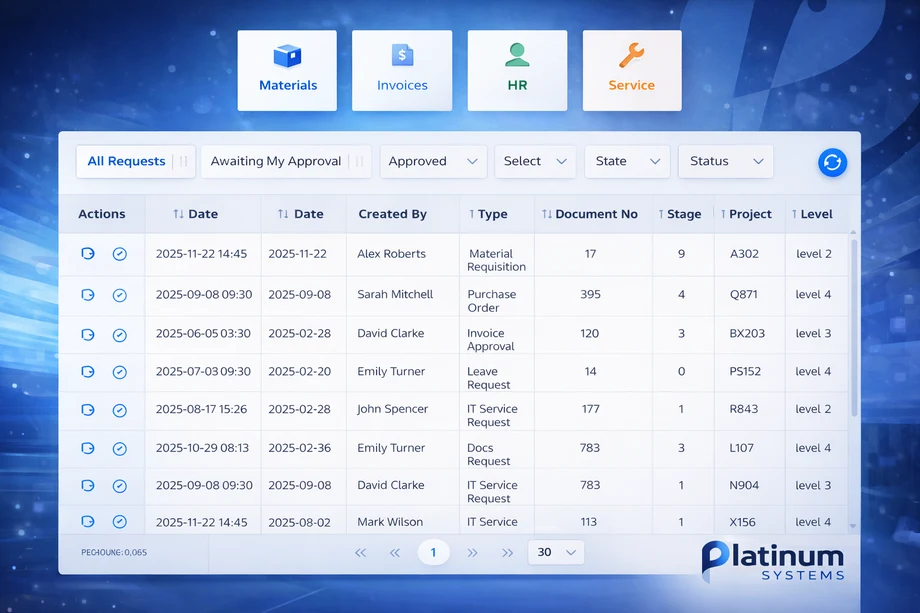
Unified Request Inbox Across All Modules
Handle approvals for materials, invoices, HR, and service requests from one simple inbox instead of many different systems.
- One place for all request types
- Filter by project, site, department, or status
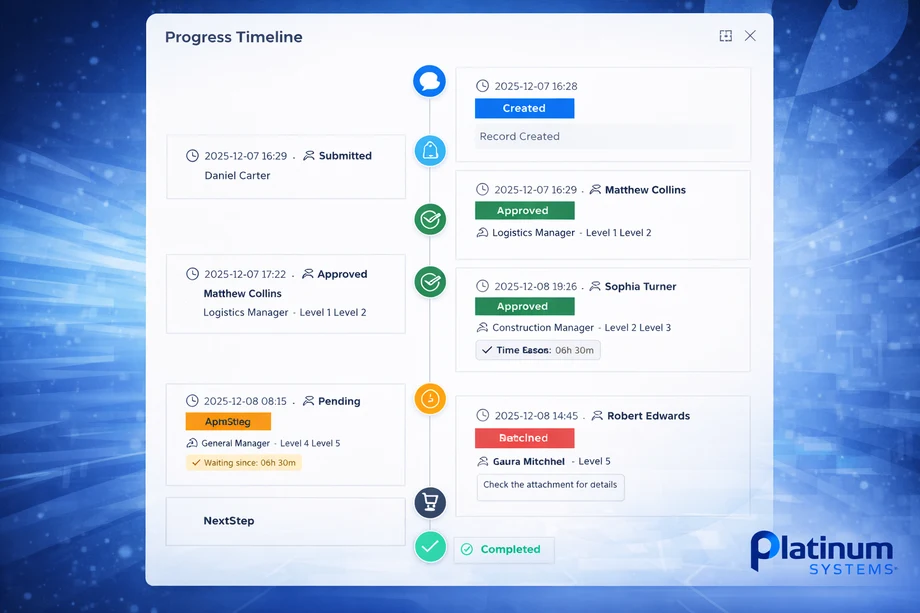
Progress Timeline
Follow each request step by step, from creation to final approval, with a simple timeline that is easy to understand.
- See the current stage for every request
- Understand what was done and what is next
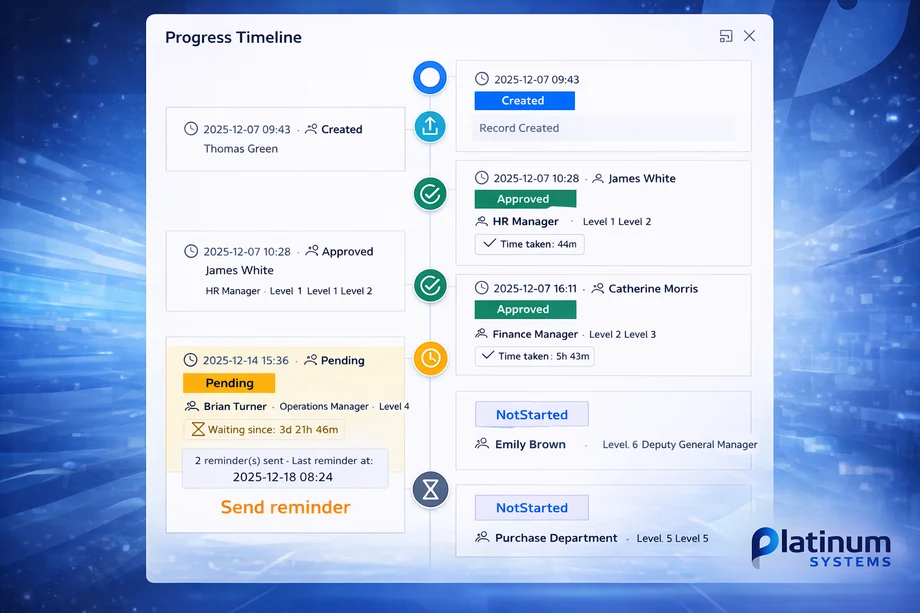
Visual Progress Timeline for Every Request
Give managers a clear visual line of all steps, approvers, and timing for each request, without searching in emails.
- View created, approved, rejected, and resubmitted steps
- See who approved and when at each stage
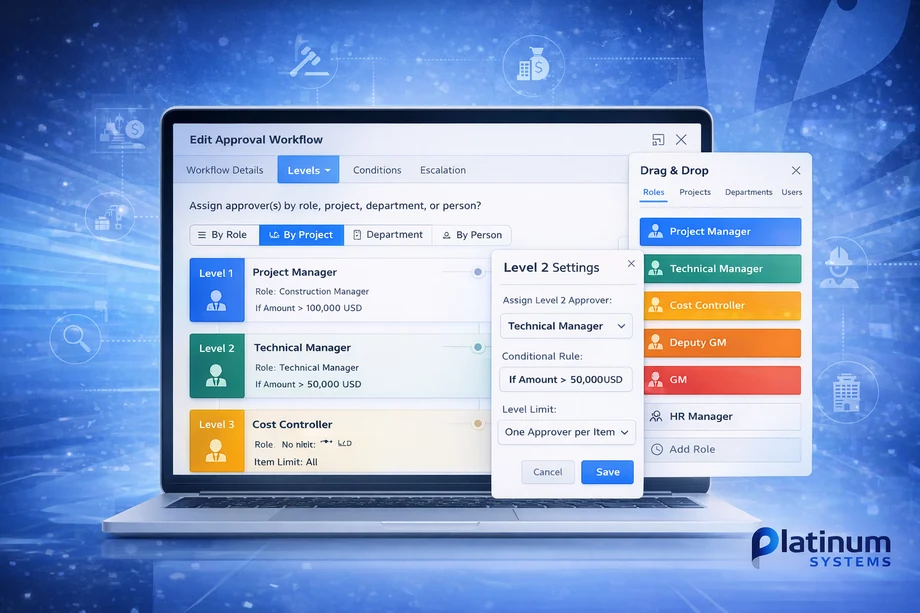
Configurable Multi-Level Workflows
Set up multi-level approvals that match how your company really works, without needing IT or programming.
- Define approvers by role, project, or department
- Change rules by document type or amount limit
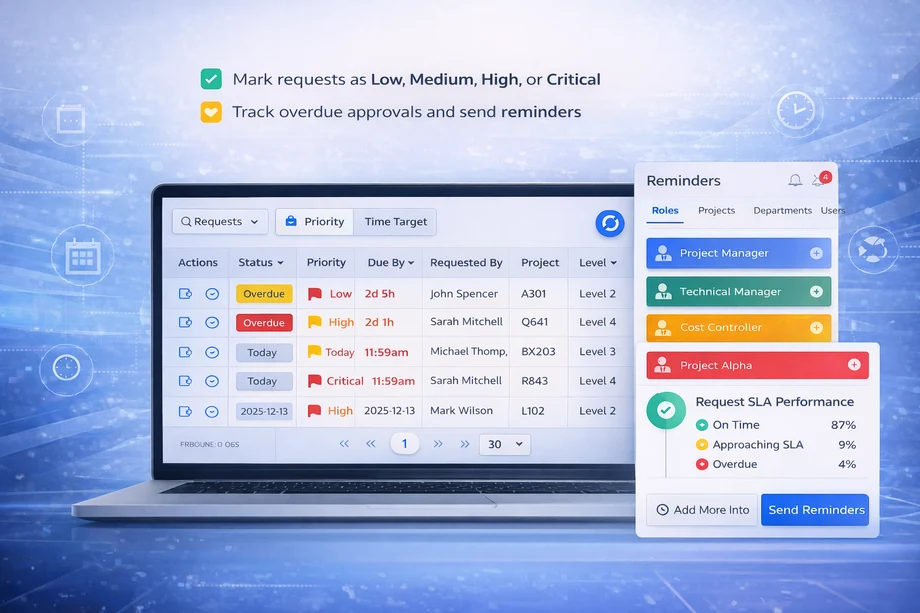
Priority, SLA & Reminders
Make sure urgent items are not delayed by using priorities, time targets, and quick reminders to slow approvers.
- Mark requests as Low, Medium, High, or Critical
- Track overdue approvals and send reminders
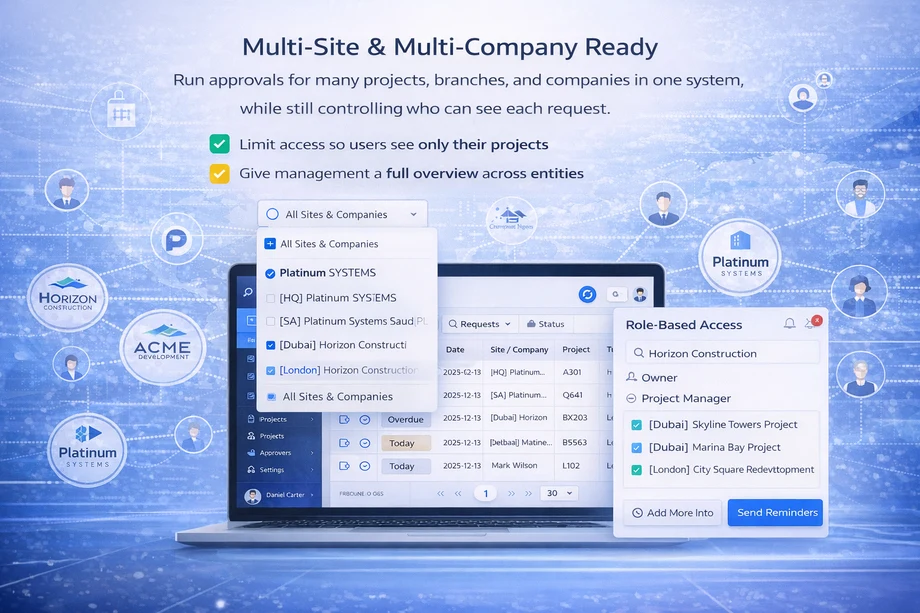
Multi-Site & Multi-Company Ready
Run approvals for many projects, branches, and companies in one system, while still controlling who can see each request.
- Limit access so users see only their projects
- Give management a full overview across entities

Mobile Approval with Platinum Plus
Allow managers to review details and approve requests from their phone using the Platinum Connect mobile app.
- Open requests and attachments on mobile
- Approve, reject, or resend while off-site
Approval & Workflow Benefits
Experience the benefits of centralized, automated approvals across your operations.

Full Visibility & Control
See all requests, their current stage, and responsible approvers in one system—improving governance and reducing the risk of lost or stuck approvals.
Faster Decision-Making
Configurable workflows, reminders, and mobile approvals significantly reduce the time taken to approve material requests, invoices, and HR forms.
Reduced Errors & Duplicates
By centralizing document submission (especially supplier invoices), Platinum ERP helps prevent duplicate invoices, missing documents, and inconsistent approvals.
Stronger Compliance & Audit Trail
Every step is logged: who approved, who rejected, comments, timestamps, and attached documents. This detailed history supports internal audits and external reviews.
Better Collaboration Between Departments
Site teams, procurement, finance, HR, and management work on the same request, with clear roles and visibility—reducing back-and-forth emails and misunderstandings.
Approval & Workflow in Action
Platinum ERP turns complex approvals into simple, connected processes—from site material requests flowing to purchase orders, supplier invoices checked against deliveries before finance posting, to HR leave requests reaching payroll only after full supervisor review.
Each workflow carries complete history, approver details, and documents, so teams work together without lost emails or duplicate entries. These examples show how the system handles construction sites, procurement, finance, and HR in one controlled flow.
Material Request to Purchase Order
Site team raises a Material Request → goes through Project Manager, Cost Controller, HSE (if required) → Purchasing → automatically available for PO creation with full approval history.
Supplier Invoice Submission
Supplier invoice is logged once → checked against PO and delivery → passes through Cost Controller, Project Management, and Finance → posted to accounting only after all approvals, preventing duplication.
HR Leave Request & Attendance Approval
Employees submit leave or attendance adjustments → supervisor and HR review → payroll is updated only after the workflow is fully approved.
+ 600 customers have said how good our HR & Payroll Management Solution is:
Our happy clients say about us
“Platinum ERP’s approval workflow has given us full visibility over project requests. We no longer chase approvals by email, and we can see exactly where every request is in the process.”
Operations Manager
Contracting Company
“Thanks to the HR & Payroll Management tools, our order processing is now seamless. We’ve reduced errors and improved delivery times, leading to happier customers!”
Sameh Muhamed
Business Development Manager
“The HR & Payroll Management provided by Platinum Systems have given us valuable insights into our sales trends. This has enabled us to make informed decisions that drive revenue growth”
Jenny Wilson
Operations Manager
Frequently Asked Questions
Find answers to common questions about Platinum ERP’s Approval & Workflow engine and how it supports your daily operations.
Platinum ERP supports approvals for material requests, purchase orders, supplier invoices, petty cash, leave requests, attendance, vehicle and equipment requests, and general internal forms. New document types can be added based on your requirements.
Yes. Workflows can be filtered by project, cost center, department, document type, and other criteria, allowing you to define multiple approval paths inside the same company.
Supplier invoices are submitted and tracked in a centralized screen. Each invoice passes through the approval process once, with clear reference numbers and status, which helps avoid duplicate entries and ensures finance only posts the final approved invoice.
Yes. With the Platinum Connect mobile application, authorized users can view requests, check attachments, and approve or reject directly from their mobile phone, supporting fast decisions even when they are away from the office.
Platinum ERP provides reports and dashboards showing pending approvals, average approval time by level, bottlenecks, and audit logs. These help management monitor performance and improve internal SLAs.
Do you need to streamline your Approval & Workflow operations?
Platinum ERP’s Approval & Workflow Management solution helps companies reduce approval time, eliminate duplicated work, and gain full visibility over every request.
Give your team the tools to approve faster, control documents, and support better decision-making across all projects and departments.
